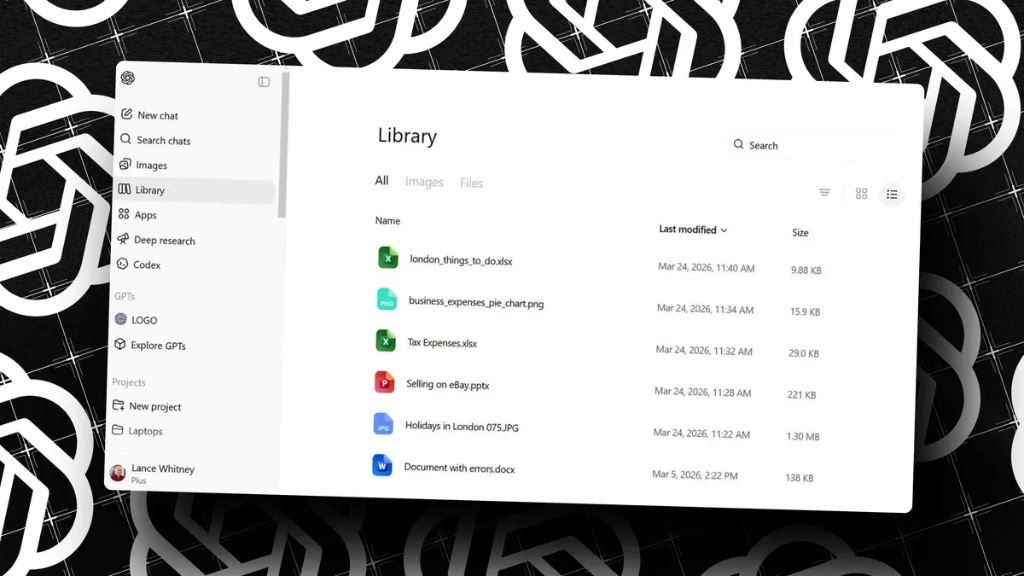
ChatGPT File Library matters because it turns one-off uploads into reusable working files. If you keep re-uploading the same spreadsheets, briefs, or draft documents, this is the feature that makes ChatGPT feel less disposable and much closer to a real workspace.
The practical question is simple: what does ChatGPT File Library actually do, and is it useful enough to change repeat work? OpenAI says Library lets users save, find, reuse, and build on files over time. Pair that with Projects, which keeps chats, files, and instructions together, and recurring work like weekly reporting, research, and draft building gets easier to continue without rebuilding context every session.
- ChatGPT File Library automatically saves uploaded and created files so you can reuse them later.
- Projects adds a stronger workspace layer by keeping chats, files, instructions, and context together.
- The biggest benefit is repeatability: weekly reporting, recurring research, and content drafts get much easier to continue.
- The main limit is that Library is currently web-only, and Temporary Chat files are not saved to Library.
Table of Contents
- What ChatGPT File Library Actually Does
- Why It Feels Like a Real Workspace
- ChatGPT File Library vs Projects vs Temporary Chat
- Best Use Cases for File Library
- How to Use It Well
- Limits and Retention Rules
- FAQ
- Related Reading
- Source
What ChatGPT File Library Actually Does
OpenAI’s current help pages describe File Library as a dedicated place where uploaded and created files are saved so users can find and reuse them later. In practice, that means a spreadsheet you used last week, a brief you uploaded yesterday, or a document you created inside ChatGPT can come back into the workflow without forcing you to hunt through old conversations.
The product behavior is simple, but the workflow effect is not. Instead of treating every file as a one-off attachment, ChatGPT starts treating files as reusable working material. That is a better mental model for recurring tasks, especially if you use ChatGPT for research notes, drafts, source docs, or planning files.
OpenAI’s release notes also say the feature makes it easier to find, reuse, and build on files over time. That phrase matters because it signals the product direction: ChatGPT is not only answering prompts, it is building continuity around the materials you already trust.
Why It Feels Like a Real Workspace
File Library feels useful because it reduces the friction that usually breaks AI workflows. In a normal chat flow, the user uploads something, gets an answer, and then has to remember where that file went. With Library, the file is stored in a dedicated location that is easier to return to and build on later.
Projects takes that idea further. OpenAI says Projects are smart workspaces that keep chats, reference files, and custom instructions together. They are designed for repeated and evolving work such as writing, research, and planning. That makes ChatGPT feel less like a blank prompt box and more like a place where ongoing work has memory and structure.
This is why the feature pair matters. File Library handles reusable assets. Projects handles reusable context. Together, they create the basic shape of a real workspace: the files are easy to find, the instructions are consistent, and the conversation history does not reset the moment you close the tab.
What this changes in real work
The practical shift is easier to feel than to describe. If you are doing a weekly market update, a recurring client report, or a multi-draft article, the old ChatGPT habit was to re-upload the same files, restate the same instructions, and hope the next chat stayed aligned. File Library plus Projects reduces that reset cost. You spend less time rebuilding context and more time improving the actual output.
That does not make ChatGPT a document management system, and it does not replace a full team knowledge base. But it does make solo and small-team workflows much less fragile. For many users, that is the difference between a feature they try once and a workflow they keep using every week.
ChatGPT File Library vs Projects vs Temporary Chat
| Feature | What It Is | Best For | Retention / Notes |
|---|---|---|---|
| File Library | A place to save uploaded and created files so you can reuse them later | Reusable documents, spreadsheets, images, and research assets | Files stay until you delete them manually |
| Projects | A workspace that groups chats, files, and instructions | Recurring workflows like writing, research, planning, and reporting | Files uploaded to a project remain until the project is deleted |
| Temporary Chat | A chat mode designed for short-lived, non-persistent work | Quick tasks you do not want saved | Files uploaded in Temporary Chat are not saved to Library |
The key distinction is that Library is the shelf, while Projects is the room. If you only need storage, Library is enough. If you want a repeatable work environment, Projects is the more powerful layer.
Best Use Cases for File Library
ChatGPT File Library is most helpful when the same material comes up again and again.
Weekly reporting
If you produce the same report every week, Library helps you keep the previous version, source files, and updated drafts close together. Instead of starting from scratch, you can reuse the original data and iterate from there.
Content drafts
For editors and creators, the benefit is obvious. A brief, outline, source doc, and draft can all live in the same work stream. That makes it easier to keep tone and structure consistent across multiple drafts.
Research notes
Research only becomes useful when it can be revisited. Library gives you a persistent place to store reference docs, notes, and support files so the next question can build on the last one.
Client or project work
If you are working with a repeat client or a long-running internal project, Library helps ChatGPT remember the files that matter most without making you re-upload them every time.
How to Use It Well
The best workflow is not complicated. Start with a project, add the files you keep returning to, and set a clear instruction set for tone, format, and scope. Then save useful outputs back into the project so the next chat can build on them.
- Create a project for the recurring workstream.
- Upload the core reference files you expect to reuse.
- Add project instructions that define style, depth, and output format.
- Save useful ChatGPT responses back into the project when they are worth keeping.
- Return to the same project for the next weekly or monthly round of work.
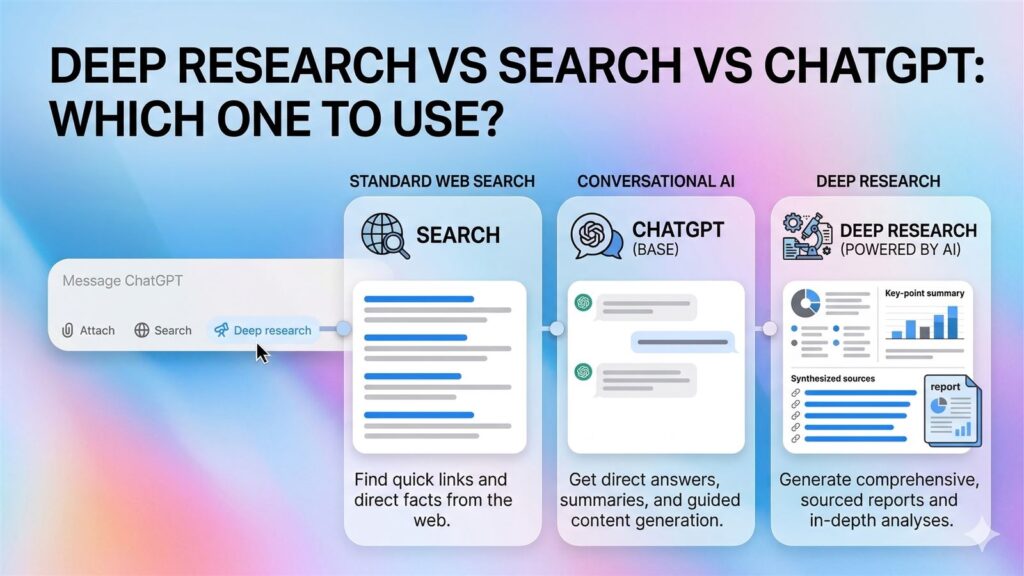
That workflow fits especially well with recurring AI content work. If you are building around a topic queue, for example, File Library can hold the reference material while Projects holds the running instructions and draft history. If you want to compare that kind of workflow with broader research modes, see Deep Research vs Search vs ChatGPT and Deep Research Prompt Template.
A simple setup that usually works best
In practice, the best results usually come from keeping the project narrow. One project for one repeating job is better than one giant project with every file you own. For example, keep your weekly newsletter sources in one project, your SEO outlines in another, and your reporting spreadsheets in a third. That makes the instructions cleaner and reduces the chance that ChatGPT grabs the wrong context.
- Use one project per recurring workflow, not one project for everything.
- Name files clearly so you can tell source docs, drafts, and final outputs apart.
- Delete outdated files instead of letting stale context pile up.
- Keep a short instruction block focused on output format, audience, and tone.
A concrete example that feels better than one-off chats
Imagine a small editorial workflow that repeats every Monday. You keep one project for weekly topic research, one spreadsheet for candidate topics, one short brand-style instruction block, and one running outline document. In the old chat pattern, you would re-upload the spreadsheet, restate the writing rules, and lose the last week’s context. With File Library and Projects, the same materials are already there. That makes the second and third week faster than the first, which is usually the real test of whether a workflow is worth keeping.
Limits and Retention Rules
The useful part of File Library is also the part users need to understand clearly. OpenAI currently says Library is available on web only, and it is rolling out to Plus, Pro, and Business users outside the European Economic Area, Switzerland, and the United Kingdom. That means the feature is practical, but not universal in the same way standard chat is.
Retention is another important detail. Files uploaded during a regular conversation are tied to that conversation lifecycle, but files saved into Library are retained until you delete them manually. In other words, deleting a containing chat does not automatically clean out the Library copy. If you want the file gone, delete the file itself from Library.
Temporary Chat is the opposite model. If you upload a file while using Temporary Chat, OpenAI says it is not saved to your Library. That makes Temporary Chat the right choice when you need a short-lived session rather than a persistent workspace.
Projects also have clear retention implications. OpenAI says files uploaded to a project, including shared projects, are retained until the project is deleted. That is a strong signal that Projects is intended as a durable working container, not just a casual conversation wrapper.
FAQ
Is ChatGPT File Library the same thing as Projects?
No. File Library is the file shelf. Projects is the workspace. Library helps you reuse files later, while Projects keeps chats, files, and instructions together for longer-running work.
Does deleting a chat delete the file from Library?
Not necessarily. OpenAI says Library files are saved separately and must be deleted from Library if you want them removed from your account. Deleting the chat alone does not automatically delete the Library copy.
Who can use ChatGPT File Library right now?
OpenAI currently says the feature is available on web for ChatGPT Plus, Pro, and Business users outside the EEA, Switzerland, and the UK. Availability can change, so the help center is the best place to check the current rollout.
Is ChatGPT File Library available on mobile?
OpenAI’s current help materials describe ChatGPT File Library as a web rollout, so users should not assume the same experience is already available across every mobile surface. The safest approach is to treat web as the default experience until OpenAI expands that guidance.
Key Takeaways
- ChatGPT File Library turns uploaded and created files into reusable assets instead of one-off attachments.
- Projects makes the workspace effect stronger by keeping chats, files, and instructions together.
- The feature is most useful for recurring work like reporting, research, and content drafts.
- Retention is separate from the chat itself, so Library files need to be deleted from Library when you want them gone.
Related Reading
- Deep Research vs Search vs ChatGPT
- Deep Research Prompt Template
- Copilot Cowork Explained
- More Tools coverage on The Summer AI