AI automation failures usually happen before a workflow has a chance to prove itself. That is why so many automation stories feel disappointing. The setup looks promising, the demo works once, and then the system breaks in real use because the design was brittle from the start.
The primary-source guidance points in the same direction. OpenAI, Anthropic, and Microsoft all warn in different ways about vague tools, weak inputs, prompt-injection risk, missing review, unclear criteria, and unreliable approval design. In other words, most AI automation failures are systems problems, not proof that AI is useless.
- Most AI automation failures come from workflow design, not from one model response going wrong.
- The biggest traps are weak inputs, unclear tools, missing approvals, bloated context, bad evaluation, and high-risk actions without safeguards.
- A safer workflow is usually narrower, easier to measure, and much less autonomous than people expect.
Table of Contents
- Workflow Overview
- Architecture and Components
- 7 Reasons AI Automations Fail Early
- Failure Modes
- Human-in-the-Loop Points
- A Quick Checklist Before You Automate
- FAQ
- Related Reading
- Source
Workflow Overview
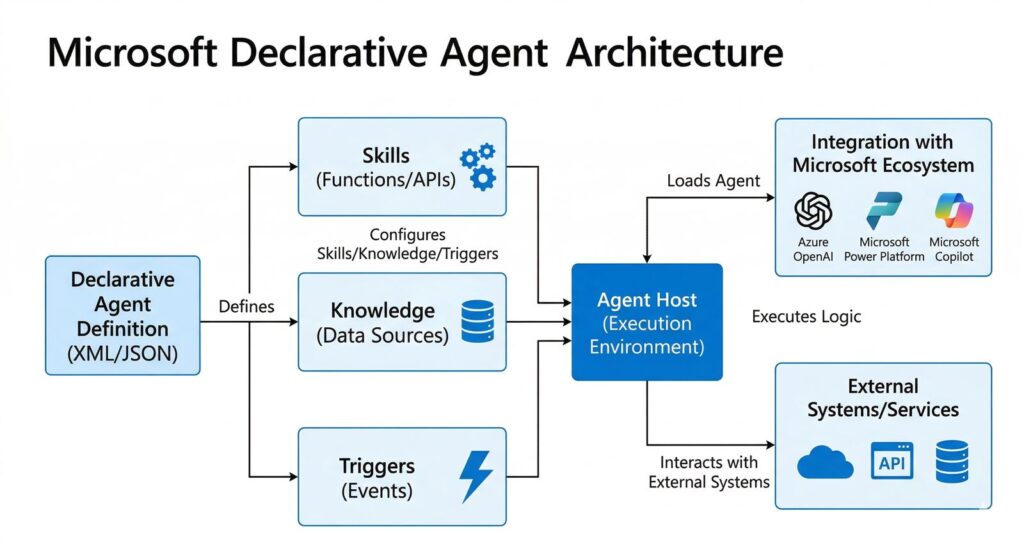
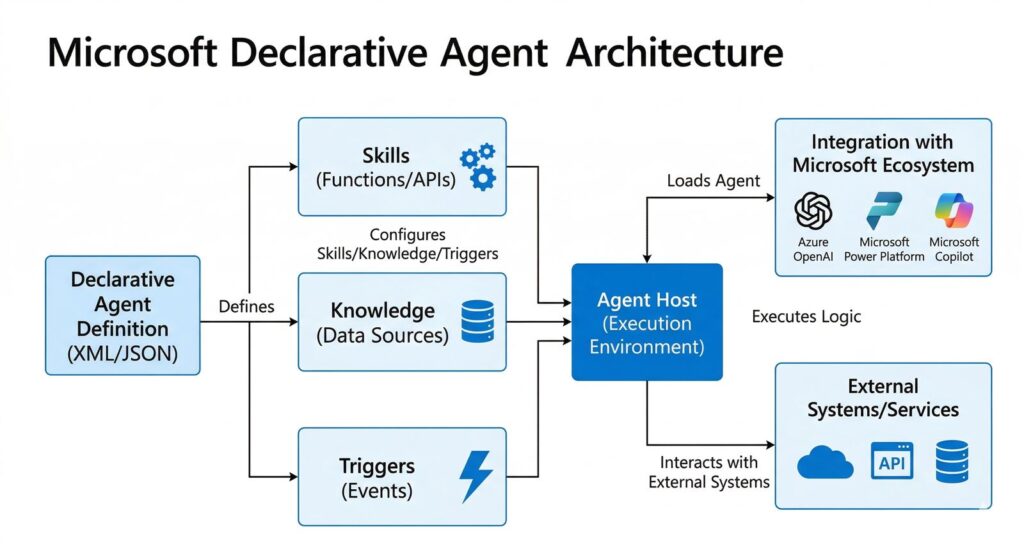
An automation only works if the system knows what it is acting on, what tools it can use, what “good” looks like, and when to stop. If one of those parts is weak, the whole workflow becomes fragile.
That is why AI automation failures often show up early. The workflow does not need to be huge to fail. It only needs one unclear tool, one weak review step, or one bad assumption about the inputs.
Architecture and Components
1. Clear inputs
If the system starts with ambiguous input, every later step inherits that ambiguity. Microsoft explicitly warns that unclear prompts and poor-quality inputs can cause wrong decisions or unreliable approval outcomes.
2. Clear tool definitions
Anthropic says vague or overlapping tools confuse agents. Tool names, descriptions, and parameters need clear purpose and strict expectations or the workflow will drift.
3. Guardrails and approvals
OpenAI’s agent safety guidance and computer-use guidance both emphasize approvals, allowlists, isolation, and careful handling of untrusted content. These are not optional extra layers. They are part of a reliable automation design.
7 Reasons AI Automations Fail Early
1. The scope is too broad
Anthropic’s guidance is blunt: many successful implementations use simple composable patterns, not sprawling agent frameworks. When the scope is too broad, failure becomes hard to debug.
2. Inputs are weak or messy
If prompts are ambiguous, criteria are vague, or source data is poor, the workflow cannot become reliable just by adding more intelligence on top.
3. Tools are poorly defined
When a workflow offers overlapping tools or badly described parameters, the system has no stable path. This is one of the quietest causes of AI automation failures because the workflow looks fine on paper.
4. Untrusted content is treated like trusted input
OpenAI says page content should be treated as untrusted input and recommends allowlisting domains and confirming risky actions. Without that discipline, prompt injection and data leakage become more likely.
5. Context grows until the system loses focus
Anthropic’s context-engineering guidance says agents can lose focus as context grows. Teams increasingly use retrieval and just-in-time context instead of dumping everything into one prompt for that reason.
6. No real evaluation loop exists
OpenAI recommends traces, graders, datasets, and eval runs because workflow quality needs measurement, not vibes. If there is no structured evaluation, the team cannot tell whether the automation is getting better or just getting luckier.
7. Human approval is too weak or too noisy
Human review is not a magic fix if the reviewer is overloaded. OpenAI’s governance paper notes that approvals become weaker when people must approve too many actions too quickly. Microsoft also draws a firm line around high-stakes decisions that still require human accountability.
Failure Modes
- A workflow works on happy-path examples but breaks on normal messy input.
- The system appears autonomous but actually depends on silent human cleanup.
- Approval requests become so frequent that reviewers click through them without context.
- The workflow writes to external tools too early, before confidence or verification is high enough.
Human-in-the-Loop Points
The human should step in before destructive actions, purchases, approvals, edits to important records, external messages, or high-stakes decisions. Computer-use guidance, AI approval guidance, and broader agent safety guidance all point to the same pattern.
The lesson is simple. Good review is specific and well-timed. Bad review is a flood of low-signal approvals that trains people to stop looking carefully.
A Quick Checklist Before You Automate
- Define the exact task boundary.
- Clean the input format first.
- Reduce tool overlap.
- Add one approval point before anything risky.
- Use retrieval instead of dumping all context into one prompt.
- Create at least one evaluation loop with examples and failure tracking.
If a workflow cannot pass this list, it probably is not ready for real automation yet.
FAQ
Do AI automations fail because the models are not good enough?
Sometimes, but the bigger pattern in official guidance is workflow design failure, not just model weakness.
What is the most common cause of AI automation failures?
Overbroad scope plus weak inputs is one of the most common combinations.
Is human review enough to fix a bad workflow?
No. Review helps, but not if the workflow is unclear or the reviewer is overloaded with low-value approvals.
How do you make an AI automation more reliable?
Narrow the task, define the tools clearly, add the right approval step, and evaluate the workflow with real examples.
Related Reading
- AI Agent Workflow: 5 Steps Regular Users Can Actually Run
- Microsoft Declarative Agents: 5 Practical Pilot Rules
- Practical Robot AI: 5 Signs It Is Finally Getting Real
- More AI workflow coverage
Source
- Anthropic: Building Effective AI Agents
- Anthropic: Writing effective tools for AI agents
- Anthropic: Effective context engineering for AI agents
- OpenAI Docs: Safety in building agents
- OpenAI Docs: Computer use
- OpenAI Docs: Evaluate agent workflows
- OpenAI: Practices for Governing Agentic AI Systems
- Microsoft Learn: FAQ for AI approvals