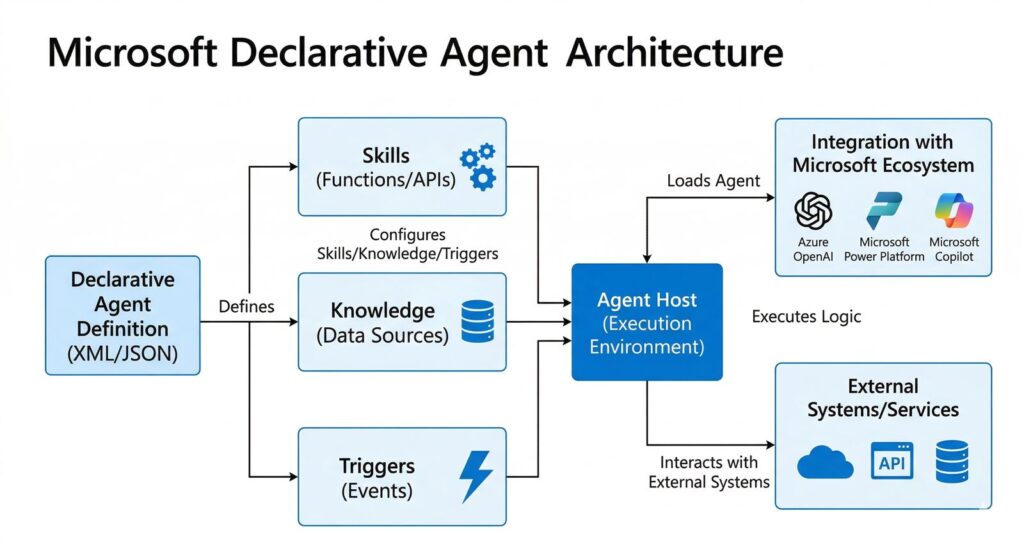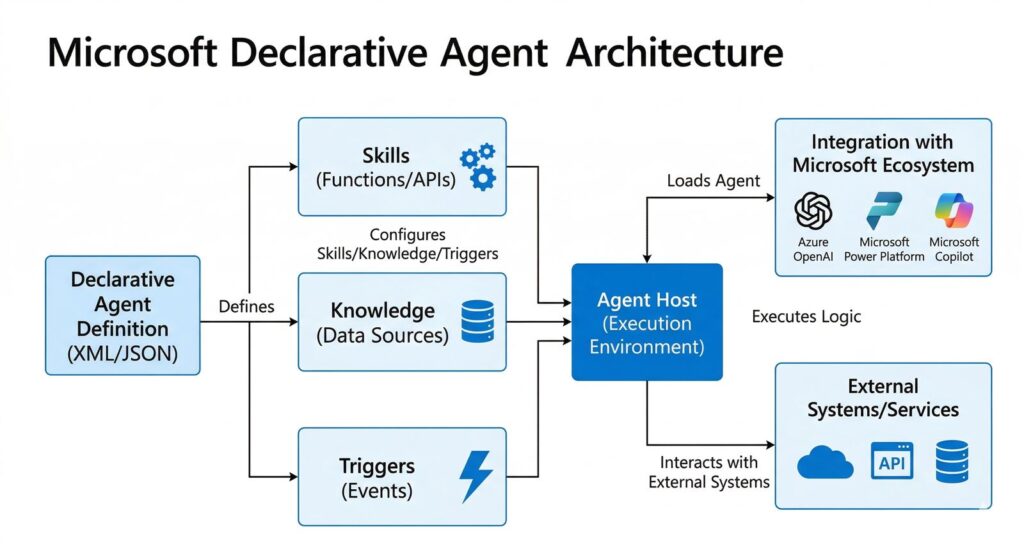
AI agent workflow can sound more complicated than it really needs to be. The practical version is not a fully autonomous system that disappears into the background. It is a multi-step workflow where the model gathers information, uses tools when needed, and hands the work back for review at the right moments.
That framing is more realistic now because OpenAI’s official product and tools docs support a clearer workflow picture. Deep research launched on February 2, 2025, and OpenAI says it is meant for multi-step, in-depth questions. A later February 10, 2026 update added broader MCP and app connections, trusted-site controls, and progress tracking. Together, those changes make an AI agent workflow easier to understand for regular users.
- An AI agent workflow works best when it is treated as a research-and-execution loop, not as a magic autopilot.
- The clearest structure is input, research, draft or action, review, and approval.
- Deep research is better for multi-step synthesis than for quick lookups.
- Human review still matters at scope definition, source judgment, and final approval.
Table of Contents
- Workflow Overview
- Architecture and Components
- 5 Steps in an AI Agent Workflow
- Failure Modes
- Human-in-the-Loop Points
- FAQ
- Related Reading
- Source
Workflow Overview
A practical AI agent workflow starts with a scoped task, not with a vague goal. The user gives the model the objective, the relevant files, and the boundaries. Then the model uses the right tools, gathers what it can, and returns with a draft, recommendation, or next-step suggestion.
That is different from normal chat in two ways. First, the work is multi-step. Second, tools matter. OpenAI’s tools guide explicitly supports web search, file search, function calling, tool search, and remote MCP, which means the workflow can move beyond a single answer box when the task justifies it.
Architecture and Components
1. A scoped input
The best AI agent workflow starts with a clear task, constraints, and source expectations. If the input is fuzzy, the workflow becomes fuzzy too.
2. A tool layer
OpenAI’s official docs show that the tool layer can include the public web, files, remote MCP servers, and function-like actions. This is what lets the system do more than summarize a prompt.
3. A reasoning and synthesis layer
Deep research is useful when the work needs multiple steps, source aggregation, and synthesis across materials. It is not the fastest option, but it is built for broader research jobs. OpenAI says these runs can take roughly 5 to 30 minutes, which is a clue that the product is designed for heavier work than casual chat.
4. A review layer
Every serious AI agent workflow needs a review step. That is where the user checks scope, sources, and whether the output should trigger a real action.
5 Steps in an AI Agent Workflow
1. Define the task and the boundary
State the job, the success condition, and what the system is allowed to use. This is where trusted-site restrictions, file access, and app connections matter.
2. Gather the right context
Upload the files, connect the approved data sources, and specify whether the model should use the web. A strong AI agent workflow is usually context-rich before it is action-rich.
3. Let the system do multi-step research
Deep research can take time, but that time is the point. The product is meant to aggregate and synthesize across multiple sources rather than answer one quick question.
4. Review the synthesis before action
This is where a user checks what the system found, what it missed, and whether any interpretation is being presented as fact.
5. Approve the next move
The final step in an AI agent workflow is not “trust everything.” It is choosing whether to publish, send, file, update, or hand the work off to a human.
Failure Modes
- Using deep research for a quick question that plain chat could answer faster.
- Giving the system unclear scope and then blaming it for broad or messy output.
- Assuming connected apps mean full write access when some research connections are read-only.
- Treating synthesis as fact when the workflow actually includes interpretation.
Human-in-the-Loop Points
The human should stay in the loop at three moments: when setting the scope, when judging the sources, and when approving the final action. That is the most realistic version of an AI agent workflow for ordinary teams.
In other words, the model can do the heavy lifting in the middle. The user still owns the boundaries and the final decision.
FAQ
What is an AI agent workflow?
It is a multi-step workflow where an AI system uses tools, gathers information, and returns work for human review and approval.
Is an AI agent workflow the same as full automation?
No. The safer practical version still includes human review and approval points.
When should you use deep research in an AI agent workflow?
Use it when the task needs multi-step research and synthesis across multiple sources, not for quick fact lookups.
What tools matter most in an AI agent workflow?
Web search, file search, function calling, and MCP-style connected tools matter because they let the workflow work across real sources instead of a single chat window.
Related Reading
- Deep Research vs Search vs ChatGPT
- Microsoft Declarative Agents: 5 Practical Pilot Rules
- ChatGPT File Library Makes ChatGPT Feel More Like a Real Workspace
- More AI workflow coverage