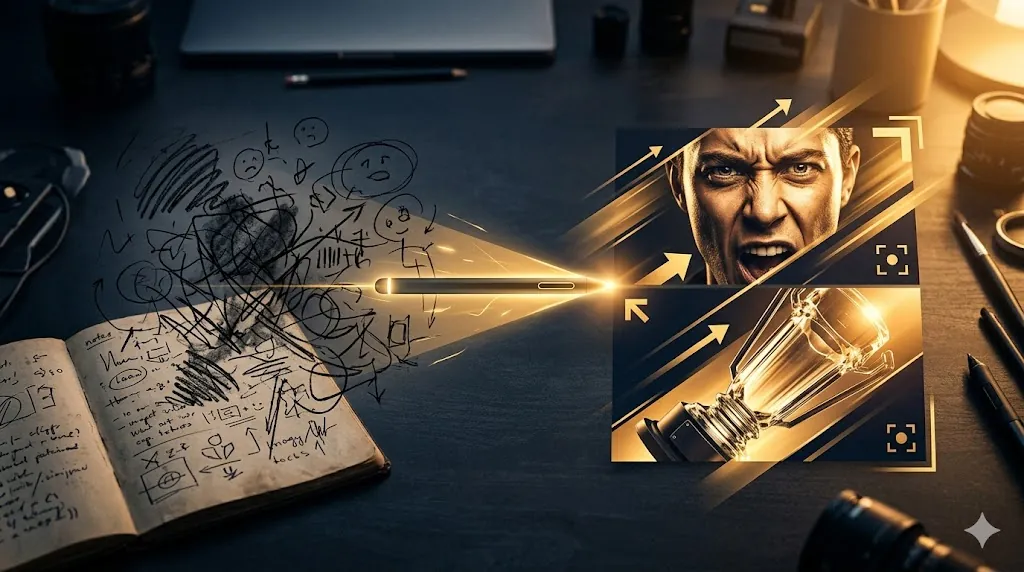
YouTube thumbnail brief prompt is useful when you do not want vague image ideas like “make it pop” or “make it more clickable.” A better brief names the audience, the video promise, the focal subject, the emotional cue, the text limit, and the success metric before anyone starts designing.
That structure matches current official guidance from two sides. OpenAI’s prompting guidance says clearer instructions, reusable variables, and iteration improve output quality. YouTube’s current creator guidance says thumbnails should make the video easy to understand, stay visually simple enough to read fast, and should be checked against performance metrics and policy rules after publishing.
- Good thumbnail briefs describe viewer, promise, focal image, and one main emotion.
- Keep text-overlay instructions narrow so the design does not become crowded.
- Ask for policy-safe alternatives before you need them.
- Review CTR and audience response after publishing instead of assuming first draft was best.
Table of Contents
- Prompt Template
- What This Prompt Does
- How To Use It
- Worked Example
- What Creators Notice After a Few Thumbnail Iterations
- Editing Cautions
- FAQ
- Source
Prompt Template
Copy this template when you want AI to produce a usable thumbnail brief instead of a pile of loose ideas.
You are a thumbnail strategist writing a clear production brief for one YouTube video.

Goal:
- Turn raw video context into one thumbnail direction that is easy for a designer, creator, or image model to execute.

Video context:
- Working title: {{video_title}}
- Core topic: {{topic}}
- Intended audience: {{audience}}
- Main promise or outcome: {{promise}}
- What makes this video different: {{difference}}
- Preferred brand tone: {{tone}}

Requirements:
1. Write brief in plain English.
2. Focus on one main visual idea, not three competing concepts.
3. Describe:
   - target viewer
   - thumbnail job in one sentence
   - focal subject
   - background/context
   - emotional cue
   - composition
   - text overlay recommendation
   - colors or contrast direction
   - what to avoid
4. If text overlay is suggested, keep it to 1 to 4 words.
5. Make recommendations that fit YouTube thumbnail best practices:
   - readable at small size
   - visually simple
   - aligned with actual video
6. Add one policy-safe fallback idea if original concept risks looking misleading, shocking, or cluttered.
7. Add one testing note for what to compare later in analytics.

Output format:
- Thumbnail angle
- Who this is for
- Main subject
- Scene/background
- Expression or emotional cue
- Text overlay
- Composition notes
- Color/contrast notes
- Do not include
- Fallback option
- What to test after publishing

Before finalizing:
1. Remove vague words like "make it pop" or "very engaging."
2. Replace generic design talk with visible details.
3. Check that brief does not promise something video does not deliver.
What a YouTube Thumbnail Brief Prompt Does
This YouTube thumbnail brief prompt converts a broad content idea into a brief with real constraints. Instead of asking AI for “thumbnail ideas,” it asks for one prioritized direction with enough detail to guide a designer or an image-generation workflow.
That matters because current official YouTube guidance is practical, not mystical. YouTube recommends custom thumbnails, warns creators not to make designs too complex, and suggests reviewing performance in Analytics after posting. So a useful prompt should not stop at visual style. It should also prepare the creator to measure whether the thumbnail actually helped.
The prompt also forces alignment with the video itself. That is important because YouTube’s thumbnail policies prohibit misleading images, and even policy-safe thumbnails can still hurt trust if the picture overpromises what the video does not deliver.
How To Use a YouTube Thumbnail Brief Prompt
Fill in the variables with real context from the video draft, not guesses made after the fact. If you already know the audience is split between subscribers and casual search viewers, say which group matters more for this upload. That choice changes whether the brief should lean on familiarity, curiosity, or clear search intent.
Keep the “one main visual idea” rule. Many bad thumbnail briefs fail because they ask for a face reaction, a product screenshot, six words of text, three arrows, and a background story all at once. The result may be technically complete, but it will not read well at thumbnail size.
Use the fallback section on purpose. If the first concept leans too hard on shock, outrage, or tiny text, the fallback should simplify the concept without losing the video’s promise. This makes the prompt more useful for real production work because it plans for revision before revision becomes a scramble.
Worked Example
Imagine the video is about how to use ChatGPT Projects to keep freelance client work organized. Here is a filled version of the prompt and the kind of output you want back.
Filled prompt input
Working title: I Rebuilt My Freelance Workflow in ChatGPT Projects
Core topic: organizing client tasks and notes with ChatGPT Projects
Intended audience: freelancers and solo operators who juggle multiple clients
Main promise or outcome: show a cleaner way to track requests, drafts, and follow-ups
What makes this video different: practical before-and-after workflow, not hype
Preferred brand tone: smart, calm, useful
Example output
Thumbnail angle: Show messy freelance work turning into one clear workspace.
Who this is for: Freelancers who feel buried in scattered client notes and tasks.
Main subject: A laptop screen with one organized project view in focus, plus a stressed-to-relieved creator expression if a face is used.
Scene/background: Left side hints at cluttered tabs, notes, or inbox overload. Right side shows a cleaner project setup.
Expression or emotional cue: Relief and control, not fake shock.
Text overlay: LESS CHAOS
Composition notes: Put main workspace view large in frame. Use one clear focal area. If a face appears, keep it secondary to the product/workflow visual.
Color/contrast notes: Use strong contrast between cluttered and organized sides. Keep interface details large enough to read as shapes, not tiny text.
Do not include: Small unreadable UI labels, more than one arrow, fake revenue numbers, or exaggerated reaction faces.
Fallback option: Drop split-screen concept and use one clean laptop view with the text overlay and a simple expression shot.
What to test after publishing: Compare this control/clarity concept against a version that emphasizes the creator’s face more strongly, then review Home and Suggested CTR in the first 24 hours.
This example is useful because it stays specific without becoming overdesigned. It also reflects YouTube’s current advice to think about who the video is for, keep the thumbnail understandable, and review performance rather than guessing.
What Creators Notice After a Few Thumbnail Iterations
Creators who use AI thumbnail workflows repeatedly tend to learn the same lesson: the first brief matters more than the final image prompt. When the brief is vague, the result is usually vague too. It may look polished at full size, but it often lacks one clear promise, one emotional cue, or one focal subject that still works in the actual YouTube feed.
People also discover that a better brief does not remove the need for testing. Even strong first drafts often need changes to cropping, face size, contrast, or text placement before they feel clickable. That does not mean the prompt failed. It means the prompt increased your odds of getting to a strong option faster. The most effective creators usually keep the brief tight, then compare two or three variants instead of expecting one perfect thumbnail from the first pass.
This is the healthiest way to use the workflow. Let the prompt improve clarity and direction, but keep creative judgment in the loop. When the brief gives the image system a sharper job, revisions become more purposeful and less random.
Editing a YouTube Thumbnail Brief Prompt
Do not let prompt become style soup
If you stack too many adjectives into the brief, AI will often return a busy concept that looks impressive in a large mockup but weak in actual feed size. Keep one tone, one promise, and one focal image.
Do not use text overlay as backup for weak concept
If the picture does not communicate enough on its own, adding more words usually makes it worse. YouTube’s own tips emphasize readable, not overly complex thumbnails. A short overlay should support the image, not rescue it.
Do not drift into misleading claims
Never tell the model to imply results, drama, or controversy that the video does not contain. That is bad for trust and can cross into policy trouble when the thumbnail suggests something the upload does not actually deliver.
Do not ignore platform constraints
YouTube currently recommends large images, 16:9 framing for most video thumbnails, and awareness that some contexts display thumbnails small. So when editing the brief, remove tiny objects, tiny captions, and weak contrast first.
Do not skip post-publish testing note
A thumbnail brief should end with one measurable testing idea. YouTube explicitly points creators back to Analytics and thumbnail testing tools. If the prompt produces no testable hypothesis, it is still incomplete.
FAQ
What is a YouTube thumbnail brief prompt?
It is a reusable prompt that turns video context into a practical brief for thumbnail design or image generation.
Why ask for only one main concept?
Because thumbnails are tiny. One strong idea reads faster than several competing ideas squeezed together.
Should the prompt ask for text on every thumbnail?
No. Text overlay should be optional and short. If the image already carries the idea clearly, extra words can add clutter.
What should I measure after publishing?
Start with click-through rate in the surfaces that matter for discovery, especially Home and Suggested, and compare alternate concepts when testing is available.
Who should use a YouTube thumbnail brief prompt?
A YouTube thumbnail brief prompt is useful for solo creators, editors, channel managers, and anyone who needs a faster way to turn a rough video angle into a testable thumbnail direction.