Presentation outline prompt templates matter because most presentation problems begin before design. The real bottleneck is usually not choosing colors or layouts. It is deciding what belongs first, what supports it, what can be cut, and what the audience should remember when the talk ends.
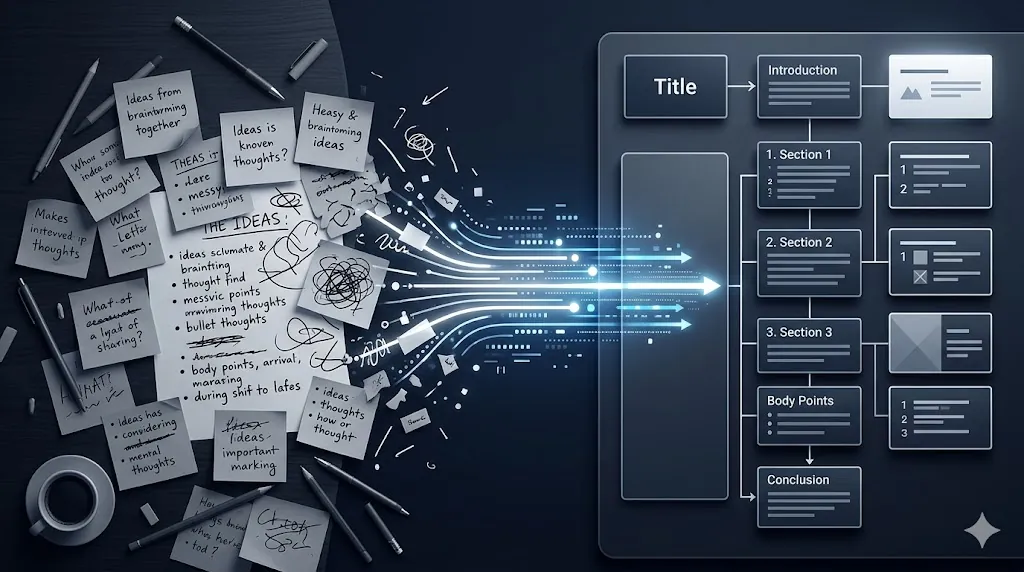
A useful presentation outline prompt reduces that friction by forcing structure earlier in the process. Instead of staring at slide 1 and improvising the rest, you turn rough notes into a reviewable outline with a message, sequence, and outcome that can actually support the deck.
- A strong presentation outline prompt improves sequence before it improves design.
- The best results come from adding audience, time limit, decision goal, and evidence constraints.
- You still need a human pass for priority, tone, and final slide logic.
- This is one of the easiest prompt patterns to reuse across work, school, and internal briefings.
Table of Contents
- Why a Presentation Outline Prompt Matters
- Copy-Paste Presentation Outline Prompt
- 7 Inputs Every Presentation Outline Prompt Needs
- Worked Example: Rough Notes to Deck Flow
- How to Review the Outline Before You Design Slides
- Common Mistakes
- FAQ
- Related Reading
- Source
Why a Presentation Outline Prompt Matters
The practical value of a presentation outline prompt is not that AI suddenly becomes a great presenter. The value is that the model can help you impose sequence on messy material. If your notes already contain the right ingredients but the order is weak, a structured prompt can get you to a usable draft much faster.
This is especially helpful for internal updates, client briefings, school presentations, and team proposals where blank-page delay is the real cost. Once the outline exists, visual editing becomes an improvement task. Without the outline, every design decision has to carry narrative work it was never meant to do.
Copy-Paste Presentation Outline Prompt
Turn the notes below into a presentation outline.

Audience: [who will hear this]
Time limit: [minutes]
Outcome I want: [approval, understanding, alignment, action]
Tone: [formal, practical, persuasive, instructional]

Please produce:
1. The core message in one sentence
2. A recommended section-by-section flow
3. The key supporting points for each section
4. A suggested opening
5. A suggested closing
6. Any weak, missing, or repetitive parts I should fix before making slides

Notes:
[paste rough notes here]
This template works because it tells the model what the job is, who the audience is, how long the presentation can be, and what shape the answer should take. It follows the same general prompt logic that official OpenAI and Anthropic guidance emphasizes: be clear about the task, provide helpful context, and describe the desired output.
7 Inputs Every Presentation Outline Prompt Needs
1. Audience type
Executives, classmates, clients, and teammates do not need the same presentation. Audience type changes what belongs near the top, how much context is necessary, and how much jargon the deck can safely carry. If the audience is mixed, say that directly in the prompt so the outline aims for the right level of explanation.
This single input often improves the result more than people expect. A deck for approval needs faster stakes and recommendations. A deck for training may need slower definitions and clearer transitions.
2. Time limit
A five-minute talk and a twenty-minute talk should not have the same outline shape. Short presentations need sharper prioritization, fewer branches, and a cleaner close. Without a time limit, the model often builds a reasonable text outline that turns into too many slides once you try to present it aloud.
Adding a time limit also forces a useful editorial decision: what is essential and what is optional. That makes the outline more realistic before design begins.
3. The decision or outcome you want
A good presentation outline prompt should state the outcome plainly. Do you want approval, understanding, alignment, or action? That answer changes the order of the deck because it changes what the audience needs to see first.
For example, a decision-seeking deck should surface stakes, tradeoffs, and the recommendation early. A teaching deck can spend more time on explanation before it asks for any response.
4. Evidence and constraints
Tell the model what evidence it must use and what limits it must respect. That could mean citing only the notes you pasted, staying inside an existing budget, or avoiding claims that are not already supported by your material. This reduces the chance that the outline adds unsupported leaps just to sound complete.
It also makes later slide writing easier. If the model already knows which proof points matter, the draft outline is more likely to stay grounded and easier to verify.
5. Preferred section order
Sometimes the user already knows the deck should follow a pattern such as context, problem, options, recommendation, and next steps. If that is true, say it. The model can still improve the logic inside each section, but it does not need to guess the overall structure.
This is especially useful in recurring business presentations, where consistency matters almost as much as clarity. The prompt should support your operating rhythm instead of replacing it every week.
6. Tone and speaker context
The same material can sound strategic, cautious, persuasive, or educational depending on who is speaking and why. Add that context so the outline suggests the right kind of opening, wording, and emphasis.
A founder pitch, a manager update, and a class presentation all ask for different narrative energy. The better the model understands the speaker situation, the less awkward rewriting you will have to do later.
7. A missing-information check
One of the best things a presentation outline prompt can do is tell you what is missing. Ask the model to flag weak, unsupported, repetitive, or underdeveloped sections before you make slides. This turns the prompt into an editorial tool, not just a formatting tool.
That missing-info check is often the highest-value part of the output. It tells you where your deck is thin before you spend time polishing a structure that still lacks proof or a clear point.
Worked Example: Rough Notes to Deck Flow
Imagine your rough notes say: “Q2 launch delayed, vendor cost up, support load higher than expected, new launch date proposed, team needs approval for revised plan.” That note dump contains the right ingredients, but the order is weak and the stakes are buried.
A stronger presentation outline prompt would ask the model to build a short executive review for a leadership audience with a ten-minute time limit and an approval goal. That changes the output immediately. Instead of a random list of bullets, the outline can become: context, what changed, impact, revised recommendation, risk controls, and next decision.
The important part is not that AI invents brilliant structure from nowhere. The important part is that it turns a pile of notes into something you can judge. Once the sequence exists, you can tighten the hook, combine weak sections, remove repetition, and move into slide creation with much less uncertainty.
How to Review the Outline Before You Design Slides
- Check whether the opening states the main point fast enough for the audience.
- Remove sections that only repeat the previous idea in slightly different wording.
- Make sure every section supports the stated outcome of the deck.
- Confirm that your evidence and examples appear where they are most convincing.
- Cut anything that will not survive the real speaking time.
- Only move into slide design after the sequence feels clean in plain text.
This review step is what separates a helpful prompt from a flashy one. The goal is not to accept the first outline. The goal is to use AI to get to a strong revision surface faster.
Common Mistakes
- Asking for an outline without naming the audience.
- Skipping the time limit and getting an outline that is too long to present.
- Using the prompt to generate slide text before the narrative logic is stable.
- Keeping weak sections because they sound polished even though they add no decision value.
- Treating AI output as final instead of as a first-draft structure to review.
If you want the AI-assisted slide layer after the outline is fixed, Gemini in Slides: 5 Practical Ways Better First-Draft Decks Save Time is the most relevant next read. If your next challenge is visual polish rather than sequence, Claude Design vs Canva: 7 Differences Non-Designers Should Check First is a better follow-up. If you are still deciding which assistant best fits your workflow, AI Tool Comparison: 7 Questions to Ask Before You Pay can help you choose more carefully.
FAQ
What is the main benefit of a presentation outline prompt?
The main benefit is faster structure. It turns rough notes into a sequence you can review before you spend time on slide formatting and design.
Should I ask AI to write the whole deck at once?
Usually no. It is better to get the outline right first, then expand or generate slide text once the sequence and priorities are stable.
Can this work for both work and school presentations?
Yes. The prompt pattern is reusable as long as you change the audience, time limit, tone, and desired outcome for the situation.
Related Reading
- Gemini in Slides: 5 Practical Ways Better First-Draft Decks Save Time
- Claude Design vs Canva: 7 Differences Non-Designers Should Check First
- AI Tool Comparison: 7 Questions to Ask Before You Pay